How to Connect Your HiWatch to Your Phone?
To connect your smartwatch to your phone, whether it’s your T500, T500 plus, or any other IWO smartwatch you own, here are the simple steps to take:
Connect for iPhone
- Step 1: The first thing to do is to go to your phone’s settings. Then, turn on your phone’s Bluetooth connection.
- Step 2: Add the device.
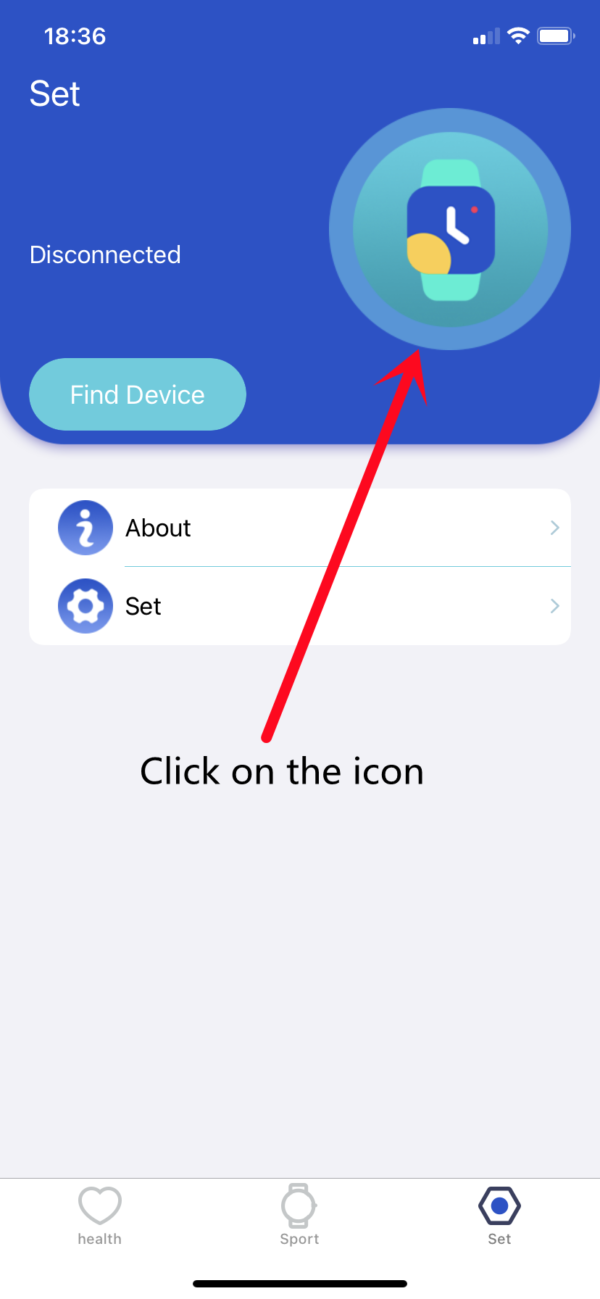
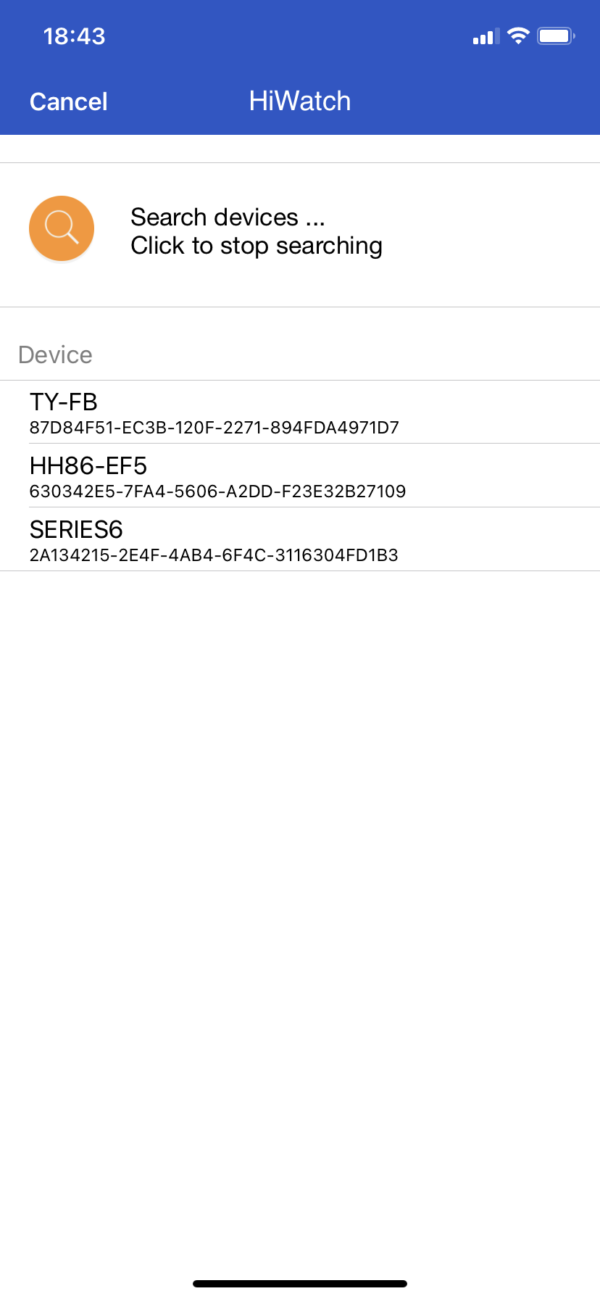
Search device
- Step 3: Allow notification data
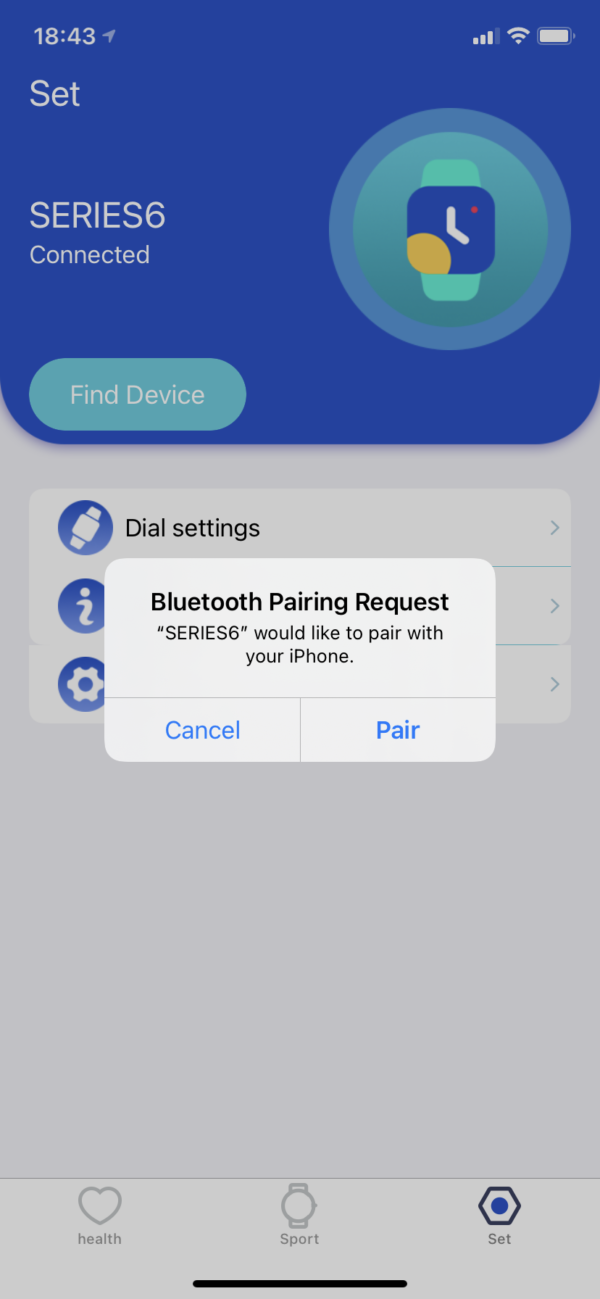
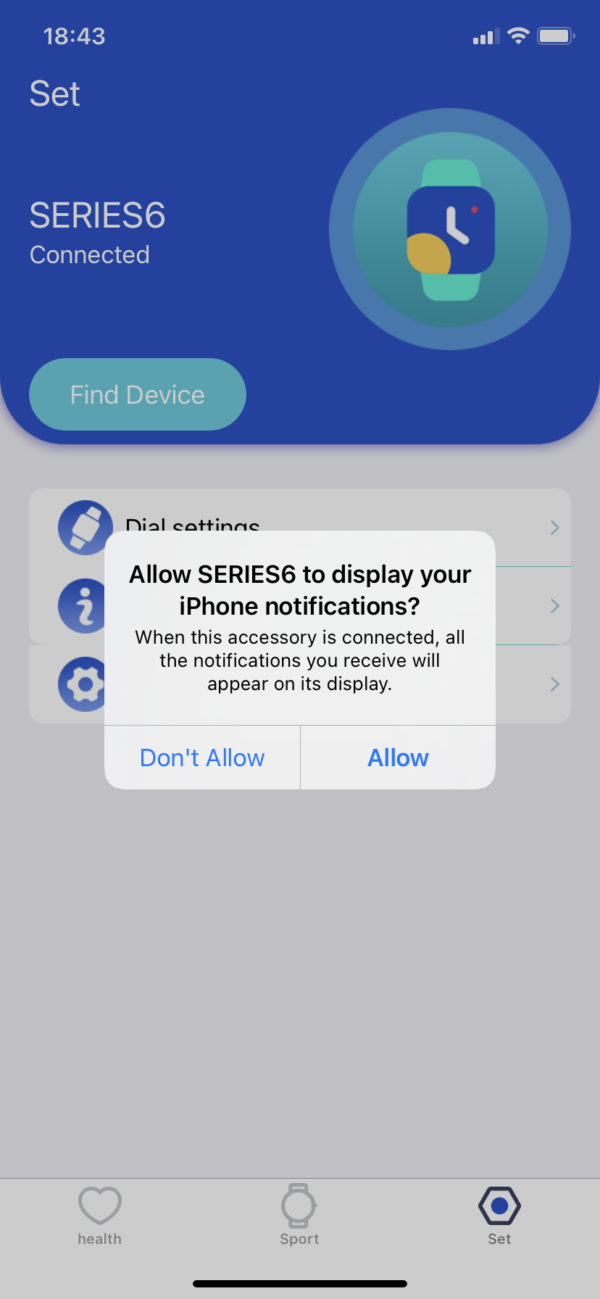
Allow notification data
https://www.iwosmartwatch.com/